
Evil Twin Wi‑Fi: When Attackers Imitate Trusted Networks
When the network isn’t what it seems
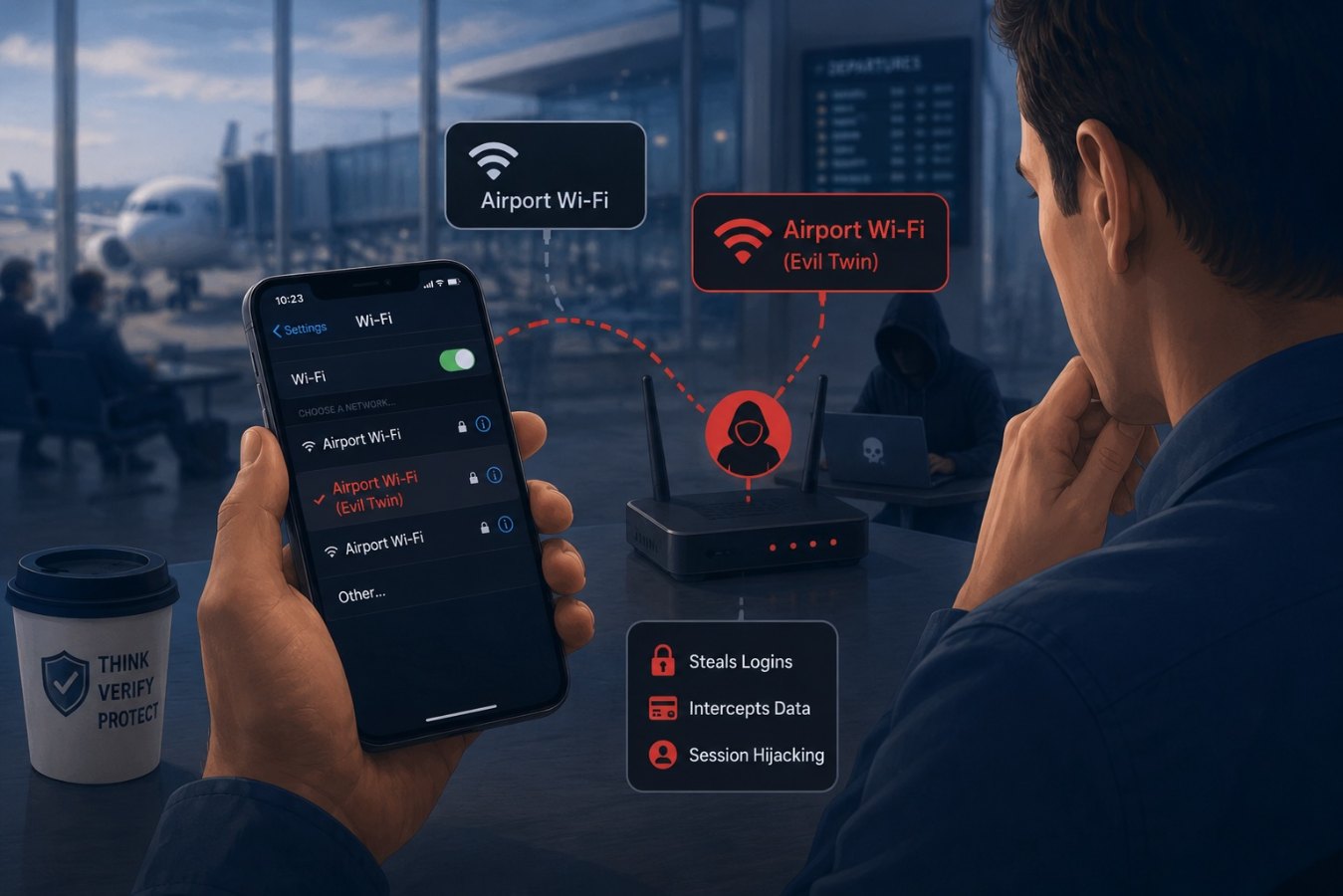
Public and guest Wi‑Fi networks are a convenience that employees rely on when traveling or working remotely. Unfortunately, attackers take advantage of that convenience. In an evil twin attack, a hacker sets up a rogue access point using the same network name (SSID) as a legitimate hotspot. People connect thinking they are using a trusted network, but the attacker intercepts everything they do. Okta notes that during an evil twin attack, victims unknowingly log into a stolen and insecure form of Wi‑Fi, giving the hacker visibility into all their online activity. Off‑the‑shelf tools make this easy, so even unskilled actors can pull it off.
How evil twin attacks work
A basic evil twin attack follows four steps:
- Set up a fake access point. The attacker identifies a public hotspot and configures their own access point with the same SSID. According to SecurityMetrics, these so‑called evil twins or “Wi‑Fi Pineapples” are configured to look identical to a company’s true network.
- Create a fake login portal. Many public networks use captive portals. Hackers copy these pages to capture login credentials.
- Entice victims to connect. Attackers position their device closer or broadcast a stronger signal so that devices automatically connect to the fake network. They can even briefly knock the real access point offline to force users over.
- Intercept traffic and steal data. Once connected, all traffic goes through the attacker, making it a classic man‑in‑the‑middle attack. The hacker can see login details, intercept files or silently redirect the victim to phishing sites.
SecurityMetrics warns that employee devices may automatically connect to the spoofed network if the SSID and MAC address match, giving attackers direct access to laptops and corporate credentials. The ease of this technique is why rogue access points should be on every organization’s threat radar.
A real‑world example
Evil twin scams aren’t just theoretical. In June 2024 the Australian Federal Police charged a man for creating fake free Wi‑Fi networks at airports and on flights. Investigators alleged he used a portable wireless device to mimic legitimate hotspots and direct users to bogus login pages. The stolen usernames and passwords were found on his devices. Authorities warn that you should never have to enter personal details to join free Wi‑Fi and advise travelers to install a reputable VPN, avoid sensitive tasks, and disable auto‑connect on devices.
Why businesses should care
Remote work and business travel mean that employees often work in coffee shops, hotels, and airports—exactly the places evil twin attacks thrive. A survey by Symantec found that 87 % of U.S. consumers use public Wi‑Fi. Alarmingly, more than 60 % think their information is safe and only half feel responsible for securing their data. Many admit to logging into email (58 %), social media (56 %) and even banking sites (22 %) on public networks. That lax attitude creates a perfect target for attackers who want to intercept corporate credentials and financial data.
An evil twin doesn’t have to be sophisticated. SecurityMetrics notes that rogue access points using identical SSIDs can trick devices into connecting automatically and give attackers the ability to steal authentication credentials and gain access under an authorized name. Even a brief connection can be enough to capture session cookies or prompt the user to enter passwords on a spoofed portal.
How to protect yourself and your team
Defending against evil twin attacks requires vigilance and good hygiene:
- Use a VPN. A virtual private network encrypts traffic between your device and the internet. Okta explains that using a VPN is the simplest way to stay safe on public Wi‑Fi.
- Turn off auto‑connect and forget networks. Devices often reconnect automatically to familiar SSIDs. Disable this feature and manually choose networks.
- Verify the network name. DFCU Financial advises confirming the exact SSID with venue staff or signage; attackers often add subtle variations (e.g., HotelFree_WiFi instead of HotelFreeWiFi).
- Avoid sensitive activities on public Wi‑Fi. Don’t perform banking or access corporate systems without a VPN.
- Stick to HTTPS websites. HTTPS encrypts data between your browser and the site.
- Enable multi‑factor authentication (MFA). Even if attackers capture a password, MFA can stop them.
- Educate employees on threat awareness. Highlight real cases like the airport incident and emphasize that users should never enter credentials on a captive portal they didn’t expect.
Organizations should also scan for rogue access points. SecurityMetrics recommends using wireless scanning tools or intrusion detection systems to build an inventory of approved access points and identify any devices that don’t match the master list. Regular scans and policy enforcement help prevent internal rogue APs, intentional or otherwise, from compromising your network.
Conclusion
Evil twin Wi‑Fi attacks illustrate how attackers exploit our need for connectivity. By imitating trusted networks, attackers can intercept everything from emails to bank transfers. The good news is that basic precautions—using a VPN, verifying SSIDs, disabling auto‑connect, and educating employees—dramatically reduce the risk. As public Wi‑Fi remains a fact of life for remote workers and travelers, understanding this threat and building secure habits will keep your organization from becoming the next example.