HR Open Enrollment Emails: Don’t Get Hooked by Fake Benefits
During benefits season, scammers impersonate HR departments to send fake open enrollment notices that harvest credentials and personal data. Learn how these phishing emails work and how to protect yourself from HR-themed social engineering.
Introduction
Open enrollment is a busy time for human resources. Companies roll out changes to health plans, 401(k) options, and other benefits, and employees expect to receive multiple messages about deadlines and choices. Criminals know this. They craft convincing emails that look like official HR communications and send them when people are already expecting benefits updates. With a little pressure and a believable pretense, it doesn’t take much to trick someone into clicking a malicious link or entering sensitive information.
How the scam works
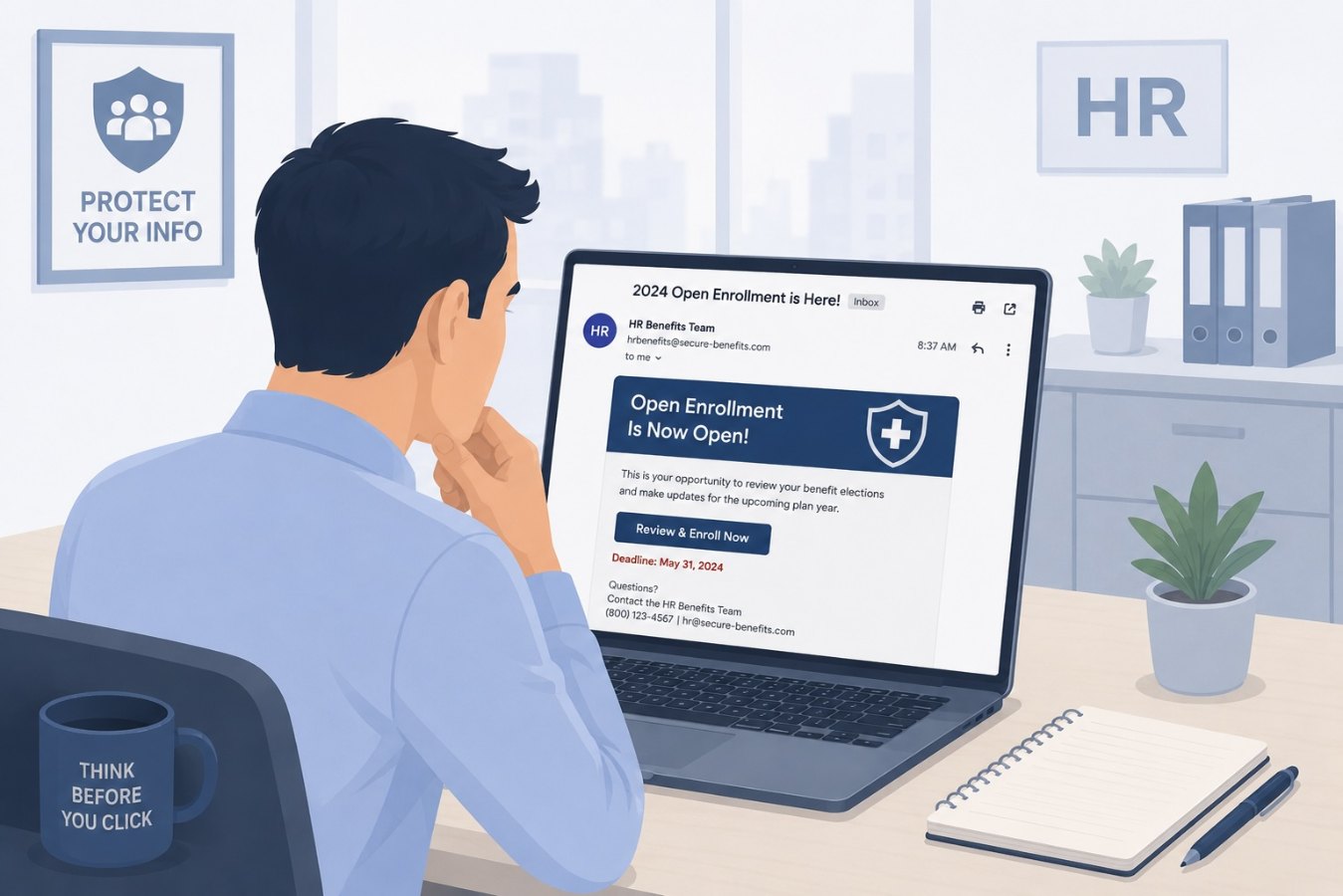
In a typical HR phishing campaign, the attacker spoofs the sender’s address to make the email appear as if it’s coming from HR or a benefits provider. The message uses subject lines like “Action Required: Open Enrollment Now Live” or “Important Update to Your Benefits Package.” Inside, there is often a link to a site that looks like the company’s benefits portal. The domain may be off by a letter or use a newly registered look‑alike address. Once the target logs in, their credentials are harvested and immediately used to access real HR systems, payroll portals, or company email.
Sophisticated campaigns go further by layering their lures. Some attackers send a first email with a benign attachment, such as a PDF outlining new policies, that points employees to a sign‑in page. Others embed the malicious login page directly in the email. The goal is always the same: to get the victim to enter their username and password into a form controlled by the attacker.
Why HR phishing is so effective
These scams succeed because they leverage trust and urgency. Employees assume messages from HR are legitimate, especially during open enrollment when real updates arrive frequently. Attackers capitalize on that assumption by mimicking the tone and branding of genuine communications. They also impose deadlines and consequences: lose your benefits, miss your chance to make changes, or face higher premiums. People under pressure are less likely to scrutinize details like the sender’s domain name or the URL behind a button.
Human curiosity and courtesy play roles too. A link labeled “Review your updated benefits” feels like something you should click on. If the email includes the HR manager’s name or references specific company programs, it reinforces the illusion of legitimacy. Criminals harvest these details from LinkedIn profiles, company websites, and past data breaches, then weave them into their phishing templates.
Red flags to look for
Even well-crafted HR phishing emails often contain subtle warning signs:
- Unexpected sender domains: Real HR messages usually come from your company’s domain or a known benefits provider. Anything else should raise suspicion.
- Generic greetings: Messages that address you as “Employee,” “Team Member,” or use your email address instead of your name may not be legitimate.
- Urgent language and threats: Phrases like “Immediate action required” or “Failure to respond will result in loss of benefits” are meant to pressure you. Legitimate HR communications rarely use scare tactics.
- Unknown links or attachments: Hover over any link to see where it really goes. Be wary of attachments that prompt you to enable macros or provide login details.
- Requests for personal data: HR will not ask for your full Social Security number, bank account information, or multi‑factor authentication codes via email.
How to stay safe
Taking a few precautions can greatly reduce the risk of falling for HR-themed phishing:
- Verify the source. If you’re unsure about a benefits email, contact your HR department using a phone number or internal chat you know is legitimate. Don’t reply to the suspicious message.
- Check the URL. Before entering credentials on a benefits portal, examine the address bar. Look for your company’s official domain and a secure connection (HTTPS). Avoid clicking shortened links.
- Use multi-factor authentication. MFA can thwart attackers even if they capture your password. Enable it on your HR portal and any other accounts that support it.
- Keep software up to date. Many phishing emails also deliver malware via attachments. Regularly patch your operating system, browser, and security software to reduce exploit risks.
- Report suspicious messages. Forward phishy emails to your IT or security team so they can warn others and adjust spam filters.
Conclusion
HR phishing is a growing threat because it preys on employees’ trust in their organization and fear of missing out on benefits. Attackers time their campaigns for open enrollment periods and disguise their messages to resemble legitimate HR communications. By staying vigilant for red flags, verifying senders and URLs, and using multi-factor authentication, you can avoid being hooked by these fake benefits emails. Remember: real HR staff will never penalize you for taking a moment to confirm that a message is genuine. When in doubt, ask before you click.