
Introduction
Everyday business relies on email. Contracts are negotiated, invoices are sent, and payments are authorized without a second thought. Criminals know this, and they’ve turned routine processes into opportunities for theft. Invoice fraud – a form of business email compromise – involves scammers posing as trusted vendors or colleagues to trick employees into wiring money to fraudulent accounts. One moment you think you’re paying a legitimate bill; the next, your funds have disappeared.
This article walks through how invoice scams work, why they succeed, and the steps you can take to protect your company. The names and details are generic, but the scenario is based on real cases that have affected organizations of all sizes. You’ll learn how to recognise the red flags in a suspicious email, how to verify changes to account details, and how a consistent process can prevent costly mistakes.
A Typical Scenario
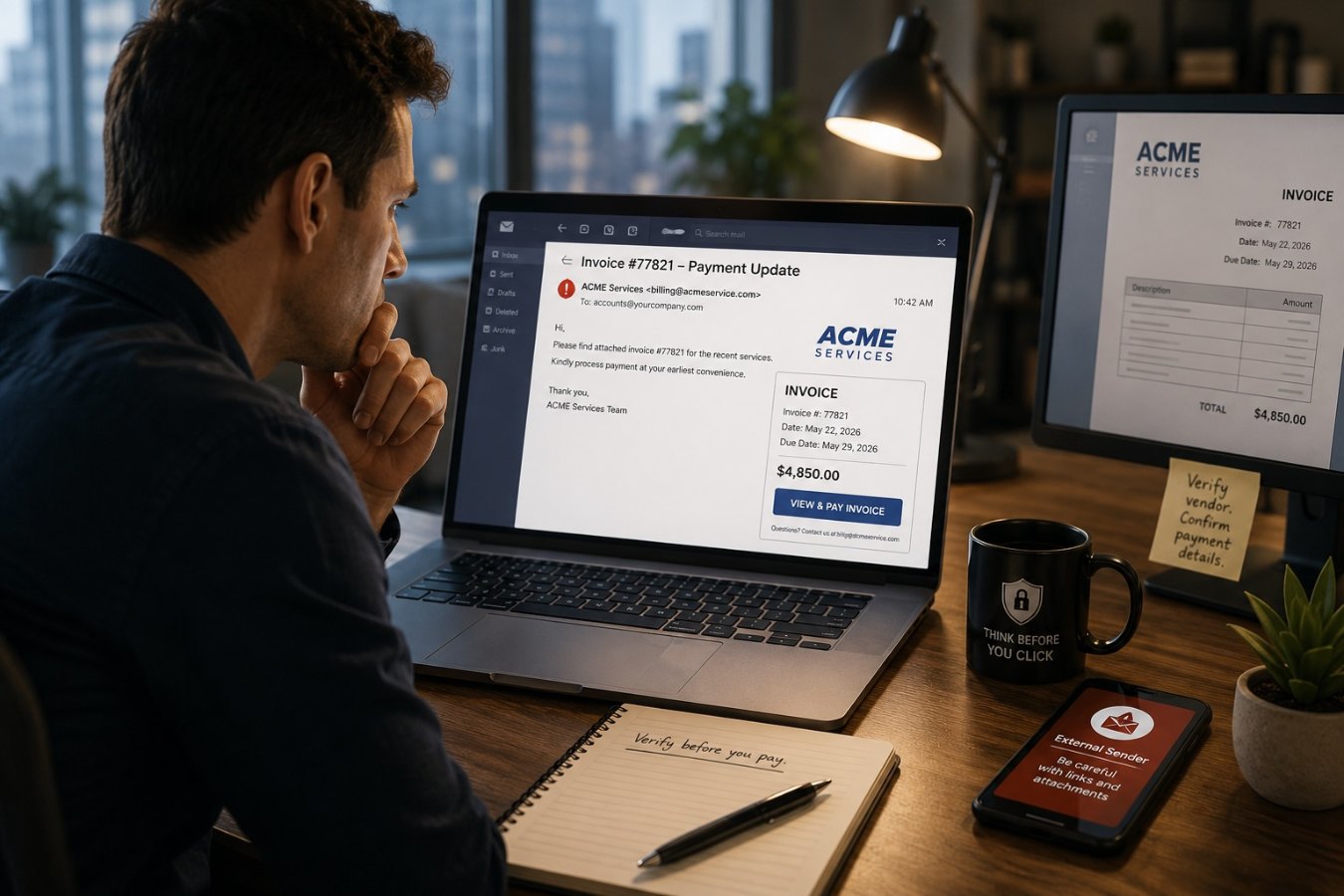
Imagine you’re working in accounts payable for a mid‑size manufacturer. One morning you receive an email from a vendor you’ve worked with for years. The message thanks you for your ongoing business and mentions that the vendor has changed banks. The invoice attached uses the correct purchase order number and looks exactly like every other bill you’ve received from them. The sender’s name matches your contact, and their signature block is identical to previous correspondence.
Hidden in plain sight is a tiny difference: the email address is off by one character. Instead of `[email protected]`, it reads `[email protected]`. You don’t notice because you trust the sender and you’re busy. The new bank account details in the invoice seem legitimate, so you update the vendor’s information and schedule the transfer for later that day.
Later, a real invoice arrives from the genuine vendor, asking why you haven’t paid yet. You realise the earlier message came from a fraudster who spoofed the email address and slipped malware into your network weeks ago, harvesting enough information to craft a convincing request. Thousands of dollars are now in the hands of criminals, and you’re left trying to recover the funds.
How the Scam Works
Exploiting trust and routine. Criminals study their targets. They monitor email threads and billing cycles to learn who deals with payments and what the invoices look like. They may gain access through malware, a phishing email sent to an unsuspecting employee, or by buying leaked credentials on underground forums. Once inside, they watch quietly until they find the right moment to intervene. According to official guidance, attackers often send messages that appear to come from a known source, such as a vendor your company regularly deals with, asking you to send funds to a new account.
Spoofed identities and domain names. A small change in an email address is easy to miss. Fraudsters register look‑alike domains and replace letters with similar characters – a lowercase "l" for a "1" or an extra letter added to the domain. Messages are also sent from real accounts that criminals have hijacked, making them even harder to spot. The U.S. Environmental Protection Agency notes that criminals often use spoofed or compromised email accounts to request changes to bank information for invoices or other financial transactions.
Urgency and pressure. Scammers count on you acting quickly. Messages might mention that the supplier is on hold until payment clears or that there’s a penalty for late remittance. They may call to follow up, pretending to be the vendor’s representative, adding more pressure. The FBI warns that criminals exploit a sense of urgency to push victims into sending money without verifying the request.
Recognising Red Flags
While invoice scams are sophisticated, they rely on small oversights. Stay alert for these warning signs:
Slightly Off Email Addresses
Check the sender’s address carefully. Look for extra characters, misspellings, or domain names that don’t exactly match the official domain. If you copy and paste the address into a text editor, differences become more obvious than they appear in an email client.
Unexpected Changes to Payment Instructions
Be suspicious of any request to change bank details or payment methods, especially if it comes without prior notice. Even if the request uses correct purchase order numbers or other legitimate references, treat it as suspicious until verified.
Unusual Urgency or Tone
Watch for language that pressures you to act immediately or suggests dire consequences if you delay. Legitimate vendors understand that changes to banking information require due diligence and will not rush you.
Attachments or Links from Unknown Senders
Do not open attachments or click links in emails that you didn’t expect. Malware hidden in attachments can give criminals long‑term access to your systems and data.
Building a Verification Process
Organizations can protect themselves by creating and following a consistent process for verifying payment instructions. Here’s a practical approach:
Require Independent Confirmation
Never change a vendor’s bank details based solely on an email. Call a known contact at the vendor using a phone number you already have on file or from the vendor’s official website. Do not use phone numbers provided in the email. The EPA recommends creating a multistep verification process for new payment instructions.
Use Multi‑Factor Authentication and Access Controls
Enable multi‑factor authentication (MFA) on email and finance systems to reduce the risk of account compromise. Restrict who can change vendor information in your accounting software, and ensure those changes are logged and reviewed by someone else. The FBI notes that two‑factor or multi‑factor authentication is one of the most effective defenses against account takeover.
Train Your Staff
Provide regular security awareness training. Teach employees how to identify phishing emails, spoofed domains, and social engineering tactics. Make it easy to report suspicious messages, even if they seem trivial. When staff members know what to look for and feel comfortable speaking up, it’s harder for attackers to succeed.
Establish Clear Policies
Document your procedures for adding new vendors, changing bank accounts, and approving payments. A written policy reduces ambiguity and provides employees with confidence to question unusual requests. Have managers review and sign off on significant changes.
What to Do If You Suspect Fraud
If you think your organization has fallen victim to an invoice scam, act quickly. Notify your bank and ask them to contact the receiving bank to stop or recall the wire. Report the incident to your IT department and law enforcement. The FBI’s Internet Crime Complaint Center (IC3) provides a mechanism for reporting business email compromise scams, and early action can sometimes recover stolen funds.
Conclusion
Invoice scams are sophisticated because they exploit trust, routine, and human error. The messages look authentic, the timing is perfect, and the criminals are patient. By slowing down and following a clear verification process, employees can turn these weaknesses into strengths. Pay attention to small discrepancies, question urgent requests, and verify any changes to payment details through a trusted channel. With training, policies, and technology in place, your team can stop vendor email fraud before it drains your company’s accounts.