
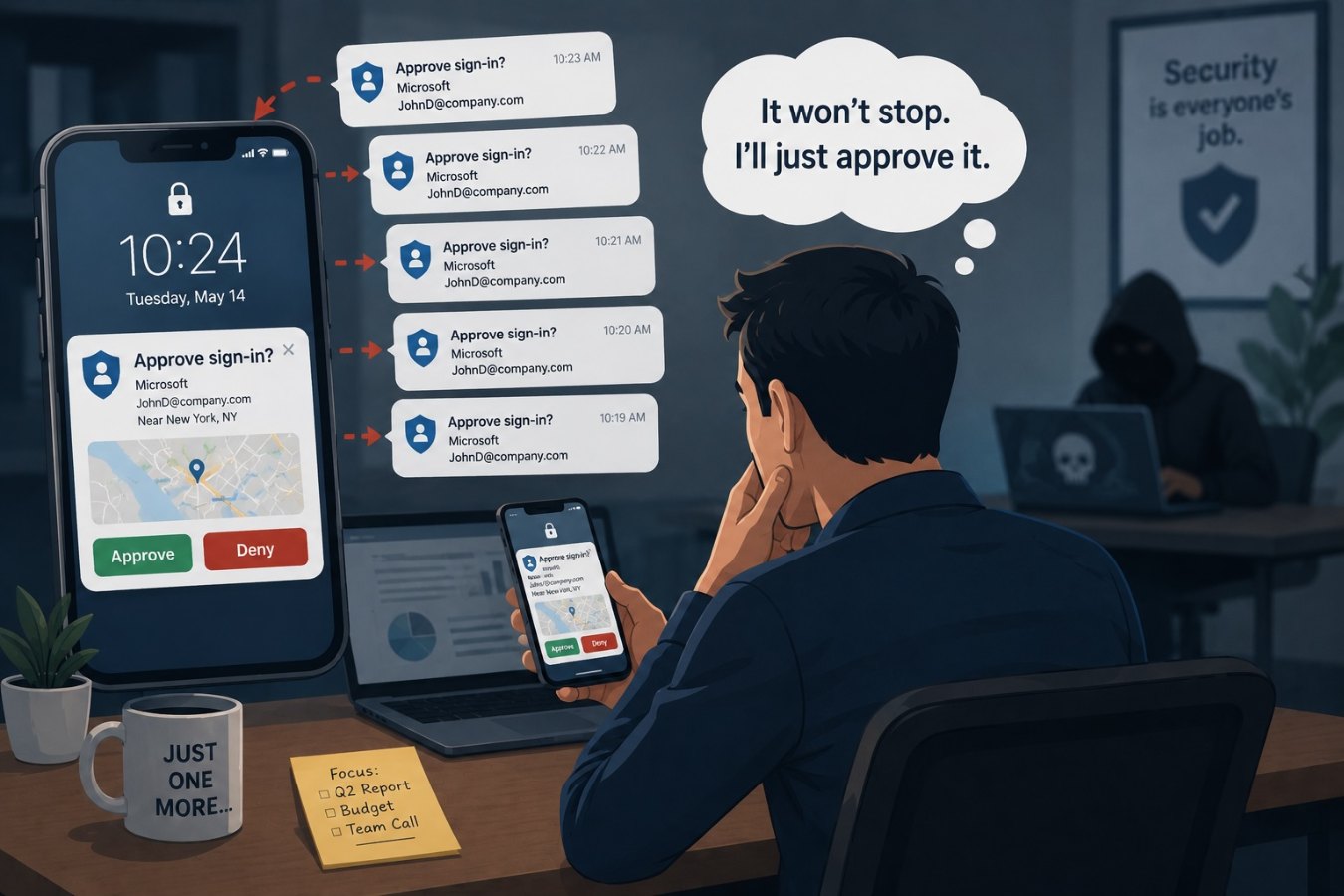
The anatomy of an MFA fatigue attack
Multi-factor authentication (MFA) adds an extra layer of security by requiring users to approve a login attempt through a secondary factor, often via a push notification on a smartphone. While this significantly reduces the risk of credential compromise, it does not eliminate the human factor. In an MFA fatigue attack, criminals obtain a valid username and password—often through phishing or a data breach—and then repeatedly attempt to log in. Each attempt triggers a push notification on the victim’s device asking them to approve the login.
At first the victim declines, assuming it is a mistake. As the notifications continue, often late at night or outside business hours, the victim becomes frustrated or confused. In some cases, the attacker will follow up with a phone call pretending to be IT support, urging the employee to approve the request to “resolve a system error.” Once the victim taps “Approve,” the attacker gains immediate access to corporate systems.
Why MFA fatigue works
Push notifications are designed to be simple. A quick tap accepts or denies the request, and many employees treat them as routine. Attackers exploit several psychological factors:
- Disruption and frustration: Constant alerts wear down the victim’s resolve. The attacker counts on the victim eventually accepting the notification just to stop the annoyance.
- Social engineering: By following up with a phone call or message posing as IT, attackers add legitimacy and urgency. They may claim they are troubleshooting a problem and need the employee to “authenticate” on their behalf.
- Lack of awareness: Many users are not trained to recognize that multiple unsolicited MFA prompts are a sign of compromise. They assume the system is glitching rather than that someone has their password.
Practical defenses
Stopping MFA fatigue attacks requires both technical controls and user education. Consider the following steps:
- Implement number matching or additional verification: Some authentication apps require the user to enter a number displayed on the login screen, making it harder for attackers to guess. This simple change significantly reduces the success rate of push bombing.
- Limit push notifications: Configure your MFA system to limit the number of login attempts within a short period. If multiple requests are denied, the account should be temporarily locked and a security alert generated.
- Educate employees: Train staff to recognize repeated MFA requests as a red flag. If they receive an unexpected prompt, they should deny it and immediately report the incident to the IT or security team. Remind them never to approve a login they did not initiate.
- Use phishing‑resistant MFA methods: Where possible, move away from push notifications toward more secure authentication methods such as hardware security keys or passkeys. These methods are not susceptible to push fatigue and offer stronger protection against credential theft.
Responding to an MFA fatigue event
If an employee reports a series of unexpected MFA prompts, treat it as an active incident. Take these steps:
- Reset the compromised password: The attacker is using a valid password, so change it immediately. Encourage the employee to choose a strong, unique password.
- Check for additional compromise: Review recent login attempts and network activity for signs that the attacker gained access before the MFA prompts were reported.
- Notify affected systems: If the compromised account has elevated privileges or access to sensitive data, inform relevant stakeholders and consider additional monitoring.
- Review and update policies: Use the incident as a learning opportunity. Adjust MFA settings, refine user training, and communicate best practices across the organization.
Staying ahead of attackers
MFA remains one of the most effective tools for protecting accounts, but it isn’t foolproof. Attackers adapt to security measures, and push‑notification fatigue is a prime example of exploiting human behavior. By implementing technical safeguards and educating employees about the warning signs, organizations can greatly reduce the risk of a successful MFA fatigue attack.
Ultimately, security hinges on a healthy partnership between people and technology. Encouraging employees to question unusual requests and providing clear reporting channels creates a culture where even sophisticated social engineering techniques lose their power.