
The rise of quishing
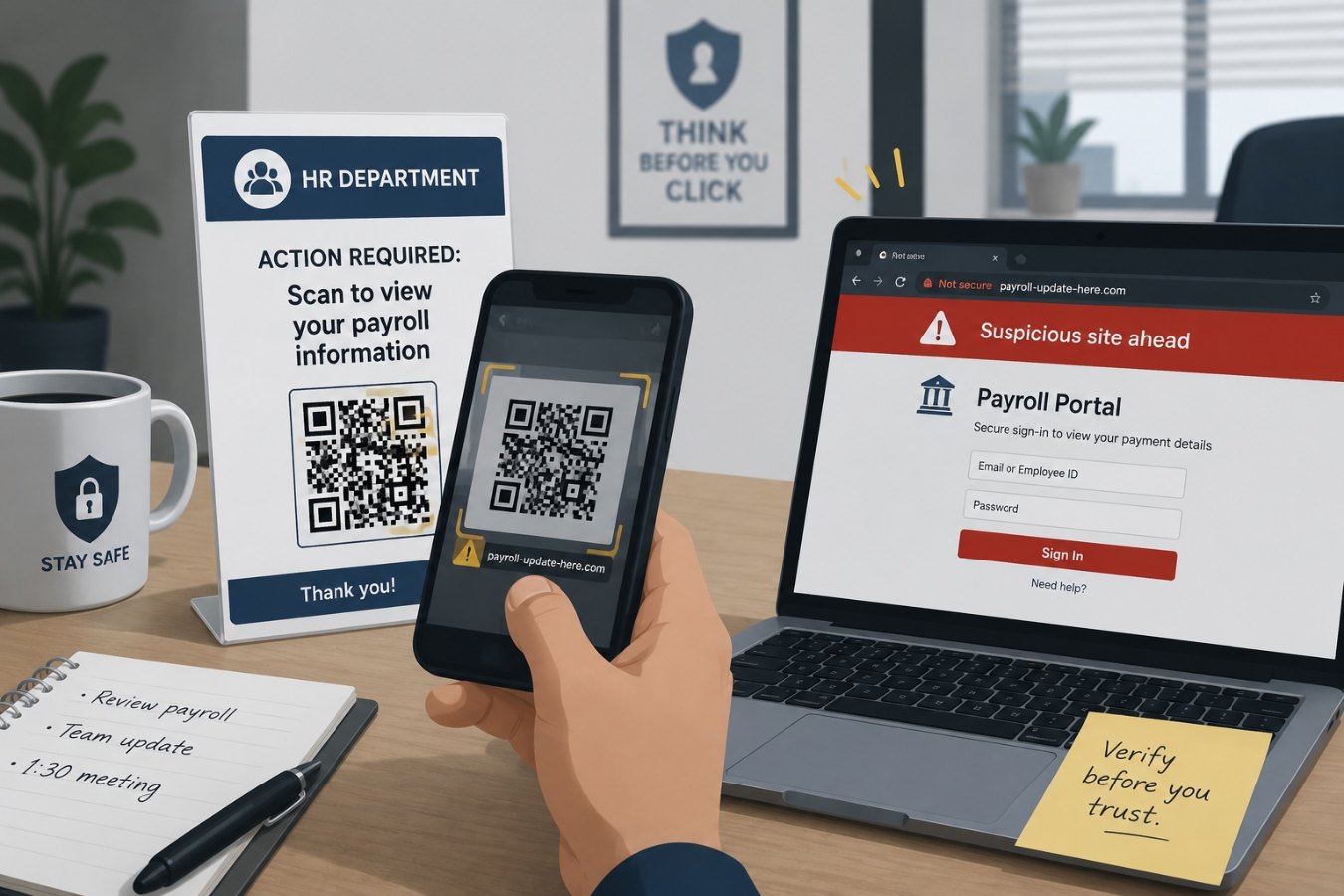
Most employees wouldn’t click on a suspicious link in an email, but they will often scan a QR code without thinking twice. Quishing combines social engineering with the convenience of QR scanning. In a typical scenario, a staff member receives an email that appears to come from human resources about an important payroll update. Instead of a link, the message contains a QR code that must be scanned to complete the update. When the employee scans the code with their phone, they are redirected to a spoofed site that harvests credentials or silently downloads malware.
These scams are effective because mobile devices don’t display full URLs in an easy‑to‑read way, and employees tend to trust the smartphone interface more than their desktop email client. According to recent security research, attackers commonly use phony QR codes for HR document downloads, invoice payments, fake multifactor authentication prompts, and parcel delivery notices. Because the scan happens outside of corporate email protections, traditional filters never see the malicious URL.
Why quishing works
Quishing preys on a sense of urgency and a lack of context. A company might post legitimate QR codes on posters around the office, so an emailed QR code doesn’t seem out of place. Employees are often encouraged to act quickly on administrative tasks like benefits enrollment or expense submissions. Scammers exploit this by sending time‑sensitive messages that imply negative consequences if the recipient delays. The victim scans the code on their phone, enters credentials into a fraudulent portal, and the attacker immediately gains access to corporate accounts.
QR codes can also hide complex URLs. On a laptop, hovering over a link reveals its destination; on a phone, there is no similar preview. Attackers use this to their advantage, creating long, confusing domains that look legitimate at first glance but actually point to look‑alike sites under their control. By the time the user realizes something is wrong, they have already provided valuable information or downloaded a malicious payload.
Spotting a quishing attack
Employees can protect themselves by practicing the same caution with QR codes that they apply to email links. Here are some red flags to watch for:
- Unexpected requests: HR and finance departments rarely send QR codes for routine processes. If a message asks you to scan a code to update payment information or approve an invoice, treat it with suspicion.
- Generic language: Attackers use broad, nonpersonalized wording such as “Dear employee” or “Customer notice.” Legitimate company communications usually address you by name and include specific context.
- Urgency and threats: Emails that threaten to suspend your account or delay your paycheck unless you act immediately are designed to override your judgment. Take a moment to verify before acting.
- Poor formatting: Typos, unusual capitalization, or mixed Unicode characters in the subject or body may indicate an attempt to bypass automated filters.
Protecting your organization
Preventing quishing attacks requires a combination of employee awareness and technical controls. Here are some practical steps:
- Educate and remind: Include QR code phishing in your regular security awareness training. Encourage employees to think twice before scanning a code from an email or unknown source.
- Use trusted channels: Instruct staff to access HR, payroll, or payment systems directly through bookmarked links or a company portal rather than via emailed QR codes. If a QR code is necessary for a legitimate function, verify its origin through a trusted contact.
- Report suspicious scans: Provide a simple way for employees to report suspicious emails and QR codes. Early reporting can prevent a small incident from becoming a broader compromise.
- Enable multifactor authentication: Even if an attacker captures credentials through a quishing attack, MFA adds an extra layer of defense. Wherever possible, use phishing‑resistant methods like authenticator apps or hardware tokens instead of SMS codes.
Building a culture of caution
QR codes are convenient and efficient, but that convenience should not override security. If you encounter a QR code in an email that asks you to log in, provide personal information, or make a payment, slow down. Contact the supposed sender through a known, trusted channel—such as the official HR portal or accounting department—to confirm the request. Remember that no legitimate organization will penalize you for taking a few extra minutes to verify.
By staying alert and following established verification procedures, you can enjoy the benefits of QR technology without falling victim to quishing scams. The more employees understand how these attacks work, the harder it becomes for attackers to succeed.