
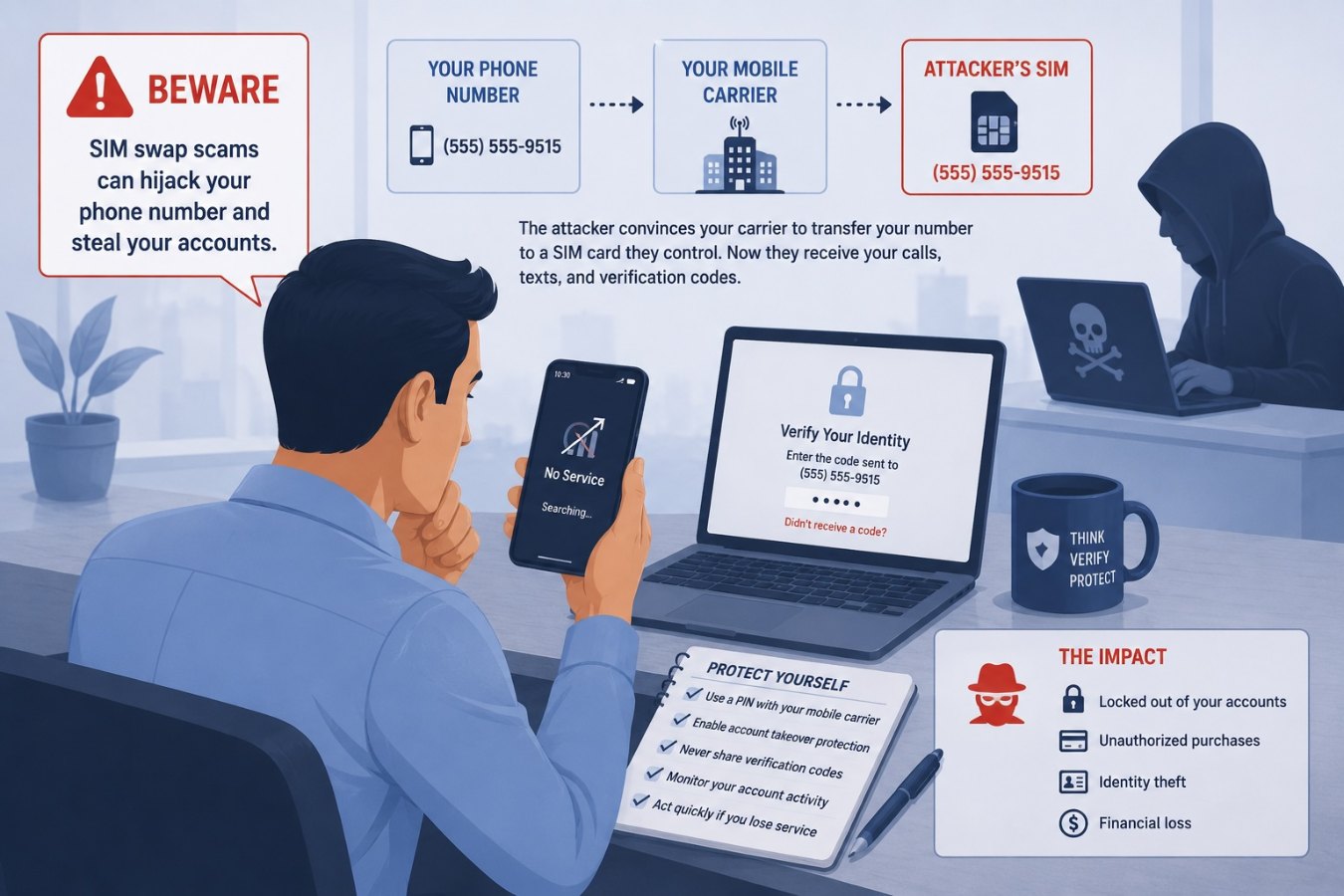
What is a SIM swap?
A SIM swap (also called SIM hijacking or port‑out fraud) is an account takeover technique. Instead of hacking your phone, an attacker convinces your mobile carrier to transfer your phone number to a SIM card they control. Once the number is reassigned, every text message and call meant for you goes to their device. Because many services use SMS for password resets and two‑factor authentication, hijacking a phone number often gives the criminal a master key to your digital life.
How the scam works
- Reconnaissance: The attacker gathers personal information about you from data breaches, social media or phishing. They need enough details to impersonate you when calling the carrier.
- Impersonation: They contact your mobile provider and pretend to be you, claiming your phone was lost or damaged. With convincing personal details they talk the representative into activating a new SIM card.
- Port‑out: The carrier transfers your number to the attacker’s SIM. Your phone loses service while the attacker’s phone starts receiving your calls and texts.
- Account takeover: With control of your phone number, the scammer requests password resets and one‑time passcodes. They log into your email, bank and cryptocurrency accounts and drain funds or change security settings.
Why it matters
SIM swap fraud isn’t a fringe issue—it causes multimillion‑dollar losses. The FBI’s Internet Crime Complaint Center reported that U.S. victims lost almost $26 million to SIM swap attacks in 2024. In the UK the fraud‑prevention service Cifas noted a 1,055 percent increase in SIM swap cases with nearly 3,000 incidents in 2024, up from just 289 the year before. Attackers target high‑value accounts, especially cryptocurrency wallets, because transactions are irreversible once the funds are moved.
Older adults are disproportionately affected; FBI data shows people over 60 suffered the highest losses. The scam is attractive to criminals because it exploits human weaknesses at mobile carriers rather than technical flaws in your devices. A single successful port‑out can net an attacker millions in stolen crypto or drained bank accounts.
Red flags to watch for
- Your phone suddenly shows “No Service” or stops receiving calls and texts.
- You receive password reset emails or two‑factor codes you didn’t request.
- Accounts alert you to changes in security settings or login attempts from unfamiliar locations.
- Friends tell you they received odd messages from your number.
If you notice any of these signs, contact your carrier immediately. Do the same if you get texts from your carrier about SIM changes you didn’t initiate.
How to protect yourself
- Use stronger authentication: Avoid SMS‑based two‑factor authentication when possible. Use authenticator apps or hardware security keys for banking, email and crypto accounts.
- Set up a port‑out PIN: Most carriers let you add a separate PIN or passcode for number transfers. Enable it and keep it secret.
- Watch your personal data: Don’t overshare on social media and be wary of phishing emails or calls requesting personal details. Attackers need that information to impersonate you.
- Monitor account alerts: Enable notifications for logins and account changes so you can react quickly if something happens.
- Use mobile provider security features: Some carriers offer SIM lock or account takeover protection services; enroll in them.
Final thoughts
Your phone number is more valuable than you might think. With it, criminals can get into your most sensitive accounts without ever touching your devices. By understanding how SIM swaps work and hardening your authentication, you can make sure your number stays yours.