
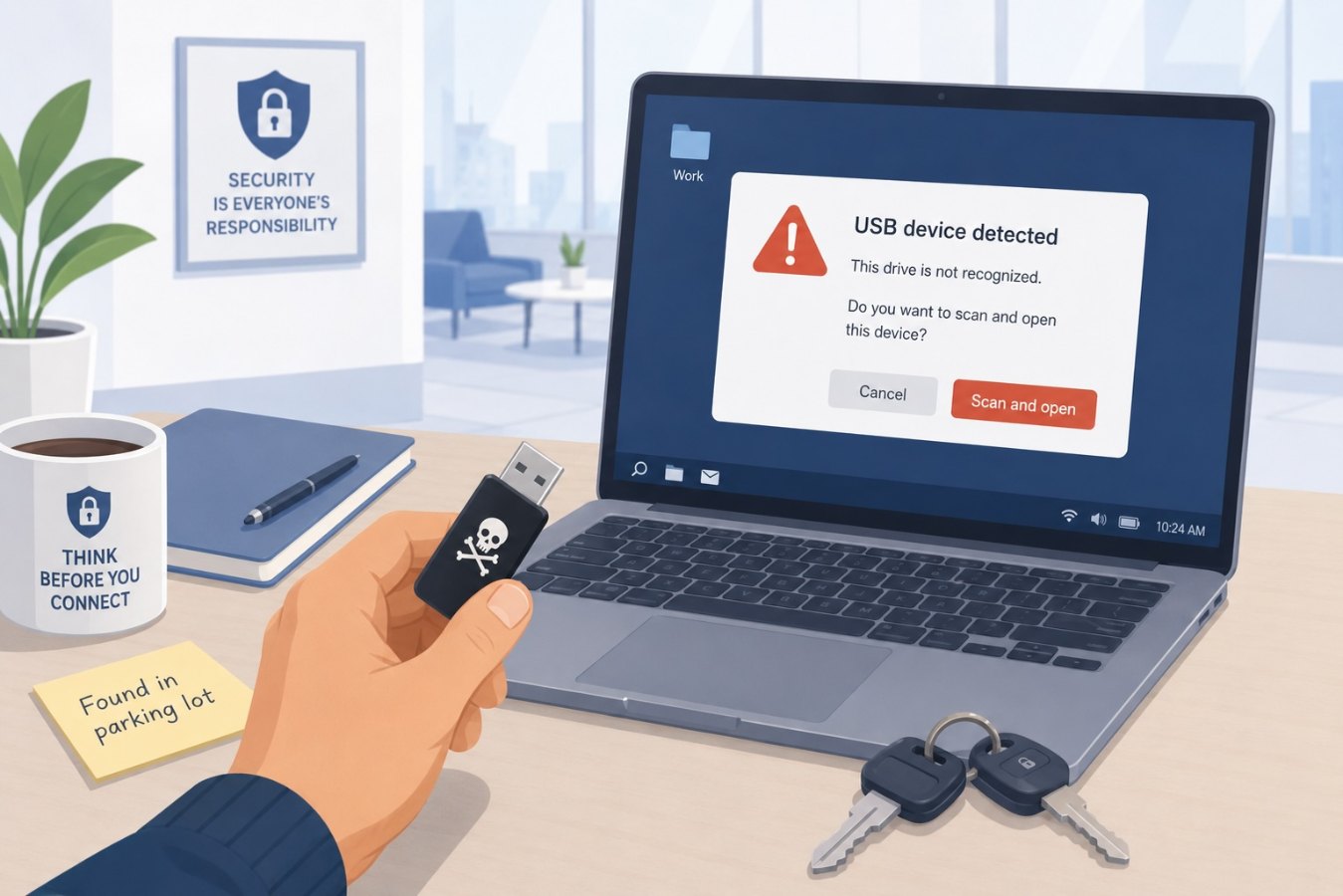
How baiting works
Baiting is a social engineering technique that entices a victim with something alluring—often a physical device—to trigger a harmful action. In the context of cybersecurity, this usually takes the form of a USB drive left in a public place, labeled with tempting names like “Executive Salary Information” or “Confidential.” An unsuspecting employee plugs the drive into their computer out of curiosity, and malware silently installs itself, giving the attacker a foothold inside the network.
Digital baiting follows a similar principle. Attackers offer free downloads, exclusive content, or prize notifications that deliver malicious payloads. In both cases, the victim believes they are accessing valuable information or a reward, when in fact they are compromising their device.
A growing threat
Removable media threats are not a relic of the past. Recent industry research shows that 51 percent of malware attacks are designed specifically for USB devices—a nearly six‑fold increase since 2019. Attackers are using USB drives to establish “silent residency” in industrial control systems and corporate networks. Instead of exploiting software vulnerabilities directly, they plant malware that sits unnoticed and gathers intelligence before launching disruptive attacks.
Baiting campaigns can be startlingly effective because they rely on human curiosity. People often assume a found device belongs to a colleague or contains something interesting. In busy office environments, it may feel easier to plug it in quickly than to track down its owner. Attackers take advantage of this tendency by strategically placing infected drives in parking lots, elevators, conference rooms, or other common areas.
Recognizing and preventing USB baiting
To protect against infected USB devices, organizations should combine policy, technology, and training:
- Never plug in unknown devices: Make it a policy that employees must not connect unverified USB drives or other removable media to corporate computers. If a device is found, it should be turned over to IT for inspection.
- Educate employees: Include baiting scenarios in security awareness training. Emphasize how curiosity and perceived rewards can cloud judgment. Use real‑world examples to illustrate how an innocent‑looking drive can carry malware.
- Use endpoint protection: Deploy endpoint security solutions that automatically scan any inserted media for malware. Many modern platforms can block execution of unknown files until they are verified as safe.
- Restrict auto‑run features: Disable automatic execution of files on removable media. Require manual approval before any software on a USB drive can run.
- Control removable media usage: Consider limiting or monitoring the use of removable storage within the organization. For environments where USB usage is necessary, provide pre‑approved, encrypted drives and enforce strict handling procedures.
- Alternate transfer methods: Encourage the use of secure file‑sharing platforms instead of physical media for transferring data between systems or sites. Cloud services and internal portals offer safer, trackable alternatives.
Building a cautious culture
A successful baiting attack doesn’t depend on sophisticated malware; it depends on someone’s willingness to plug in an unknown device. By fostering a culture of caution and providing clear guidance on what to do when employees encounter stray hardware, organizations can close this often‑overlooked attack vector.
If you find a USB drive or other media in a common area, resist the urge to see what’s on it. Report it to your IT or security team so they can examine it safely. Remember, a moment of curiosity could open the door to a costly breach. Through awareness, enforced policies, and the right technical controls, you can ensure that curiosity doesn’t compromise your organization.